
Notification Settings
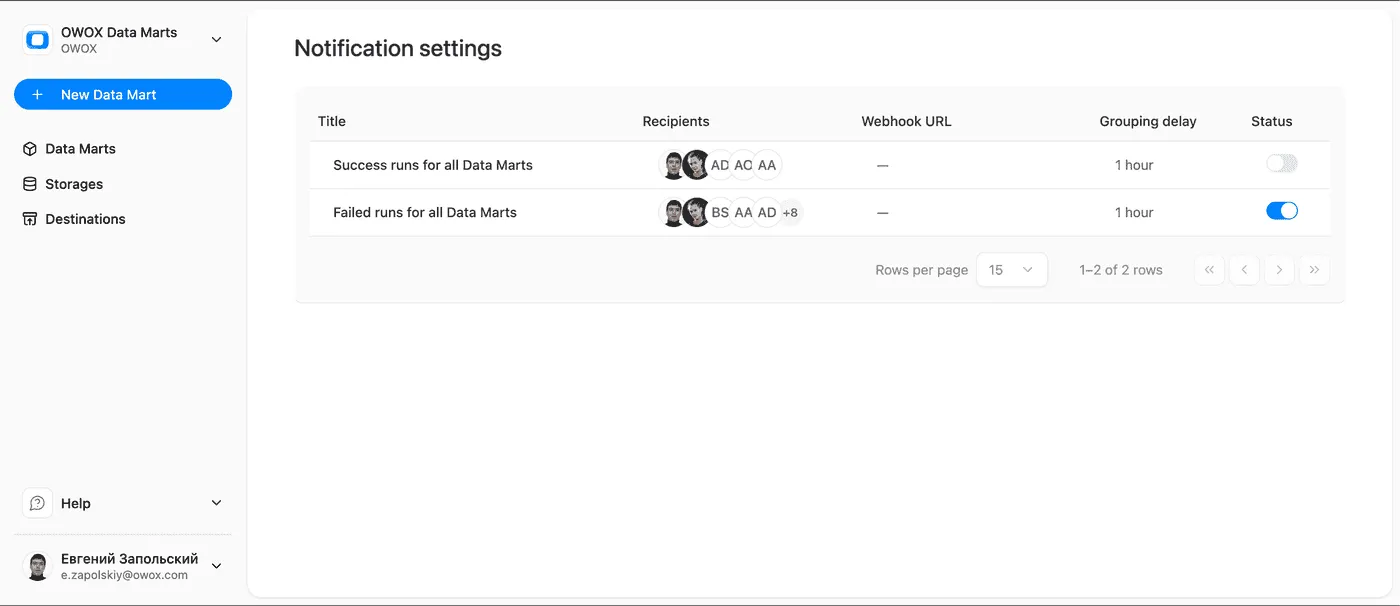
Notification Settings let you control when and how your team gets notified about Data Mart runs — by email, webhook, or both.
Each project has its own set of notification settings, one per notification type. Settings are created automatically the first time a run occurs in the project.
Notification Types
Section titled “Notification Types”| Type | Default | Triggered when |
|---|---|---|
| Failed runs | Enabled | One or more Data Mart runs fail within the grouping window |
| Successful runs | Disabled | One or more Data Mart runs complete successfully within the grouping window |
Configuring a Notification
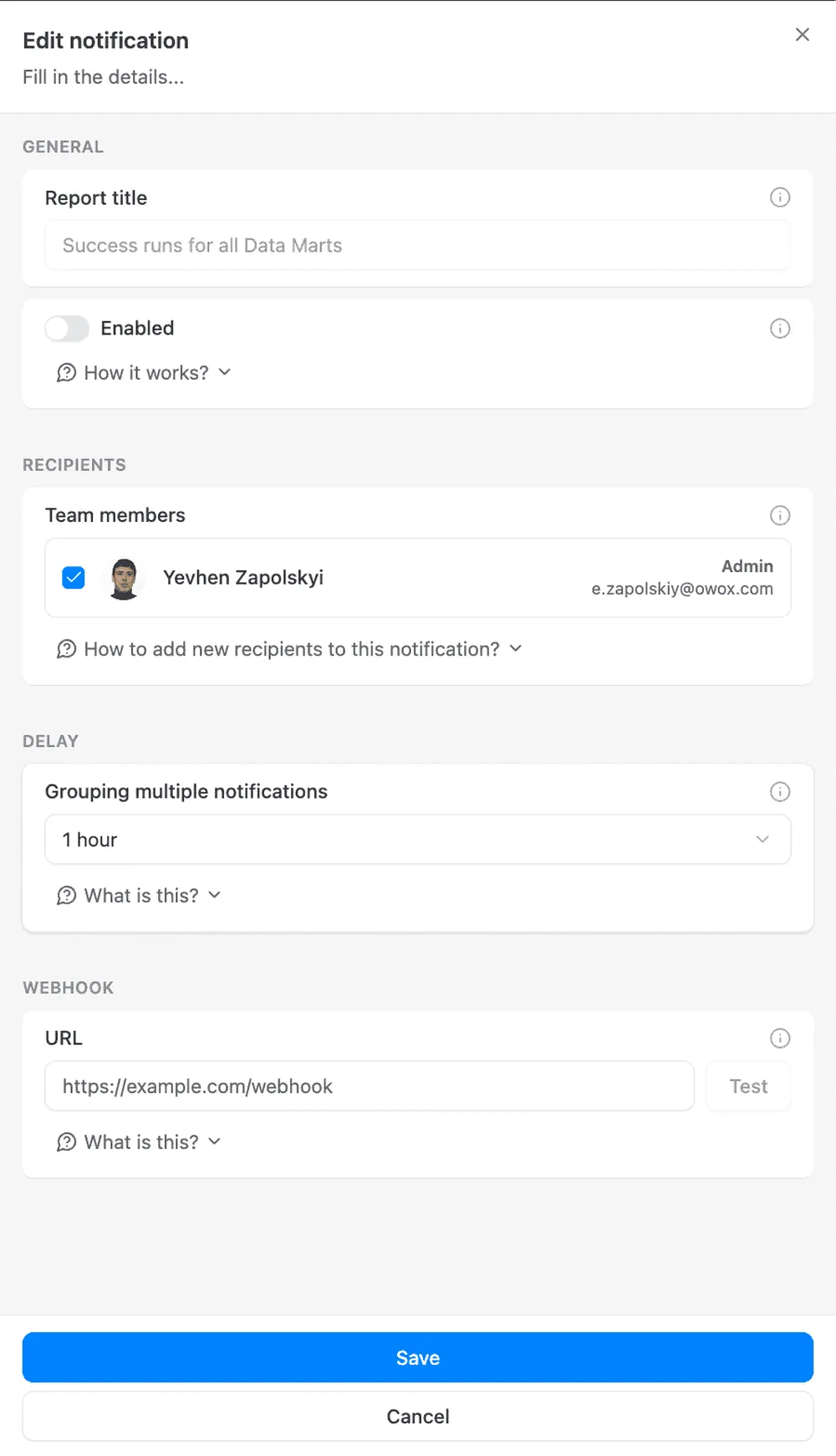
Section titled “Configuring a Notification”Click on a notification row to open its settings.
Enable / Disable
Section titled “Enable / Disable”Use the toggle to turn a notification on or off. When disabled, no emails or webhooks are sent regardless of other settings.
Receivers
Section titled “Receivers”Receivers are project members who will receive email notifications. Select one or more members from the list.
☝️ A member will only receive emails if their account has email notifications enabled. Members with notifications disabled are shown with a warning badge.
Grouping Delay
Section titled “Grouping Delay”The Grouping Delay controls how often notifications are batched and sent.
| Value | Behavior |
|---|---|
| 5 minutes | Runs are grouped and sent every 5 minutes |
| 15 minutes | Runs are grouped and sent every 15 minutes |
| 30 minutes | Runs are grouped and sent every 30 minutes |
| 1 hour (default) | Runs are grouped and sent every hour |
| 2 hours | Runs are grouped and sent every 2 hours |
| 6 hours | Runs are grouped and sent every 6 hours |
| 12 hours | Runs are grouped and sent every 12 hours |
| 24 hours | Runs are grouped and sent once a day |
☝️ Instead of sending a separate notification for every single run, OWOX batches all runs within the window into one message. This keeps your inbox clean on busy projects.
Webhook URL
Section titled “Webhook URL”Optionally, you can send a webhook to any HTTP endpoint. See Webhooks for the payload format and setup instructions.